For any industrial application

Automate everything from depalletizing boxes in logistics to complex pick & placeof industrial workpieces. 

For any robot-to-camera setup

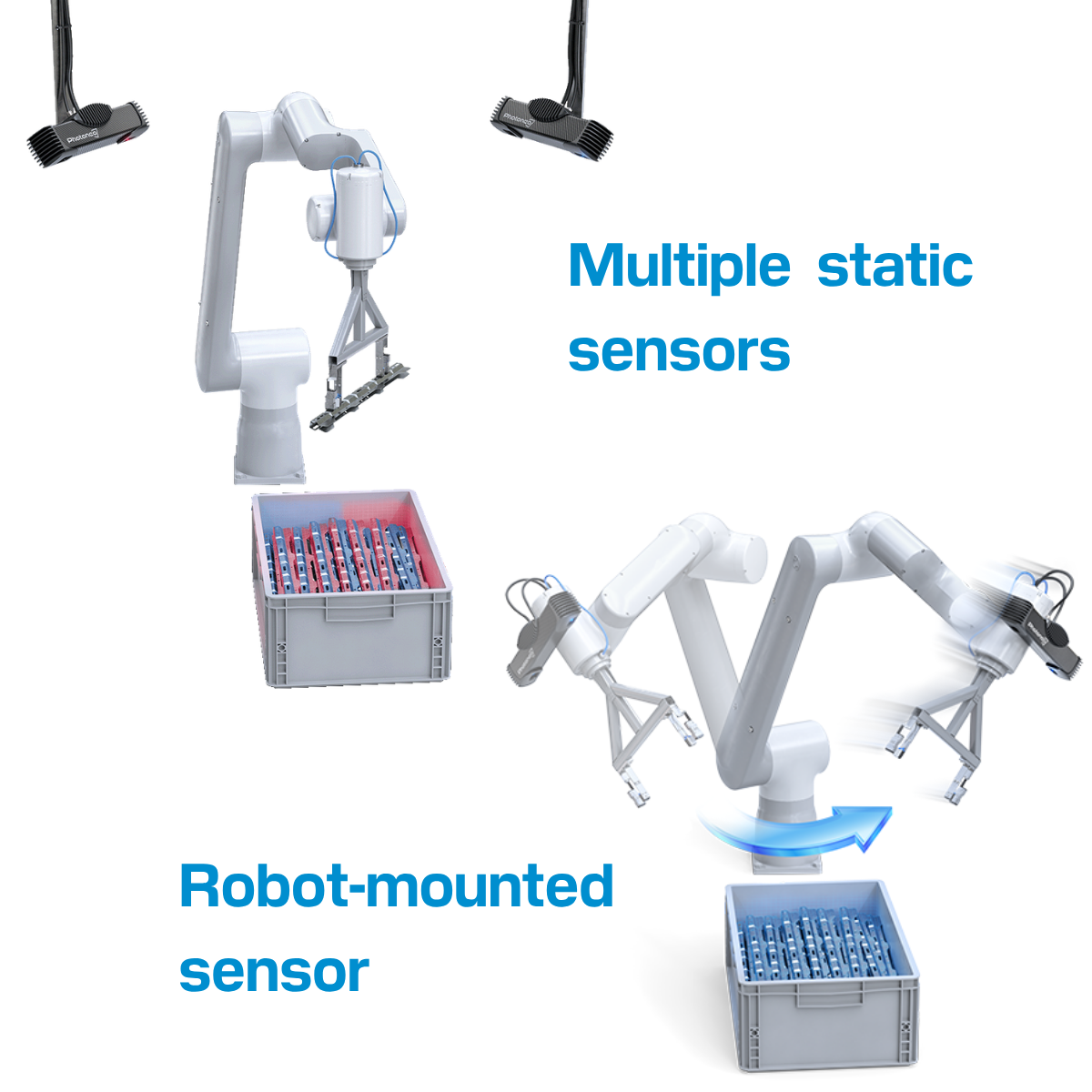
Supports single or multi-sensor setup, fixed mounting or on-the-robot, static scenes or in motion, one perspective to merging multiple point clouds.

Scale deployments effortlesly

Compatibility with all major robot brands, an intuitive visual interface, and the ability to easily reuse robot cell setups makes deployment at scale easy.

Coming early 2027 
Aurora VGR Studio will become our single, powerful solution, succeeding Bin Picking Studio and Locator Studio.

Aurora VGR Studio is fully backward compatible. Any robotic cell you configure today in Bin Picking Studio or Locator Studio can be easily exported and imported directly into Aurora VGR Studio, ensuring a seamless transition for all your projects.

Something Powerful
Tell The Reader More

The headline and subheader tells us what you're offering, and the form header closes the deal. Over here you can explain why your offer is so great it's worth filling out a form for.

One modular platform, for any application.

Aurora VGR Studio paired with a Photoneo 3D sensor gives your robot the ability to see, understand and handle objects that are never in the same place twice. Add only the modules your application needs.

Scenario-01_LargeParts_Unstructured-01_v07 (1)_square

Randomly stacked, overlapping parts in deep bins.
Guide robot confidently without collisions.

Path planning & collision avoidance module

Master the bin picking of unorganized, randomly oriented, or imprecisely positioned parts directly from deep bins, racks, or custom fixtures:

  • large shiny metal sheets

  • forgings/cast parts

  • industrial workpieces

Pick Prioritization

Prioritise the easiest, safest, and closest items while avoiding those that are hard to reach or might cause a collision.

Custom Picking Path

Map out the exact path the robot should take to enter the bin, grab the part securely, and retrieve it without bumping into the bin's walls or other objects.

Environment Setup

Build a 3D digital model of the workspace around the robot. Add virtual "safety walls" so the robot operates exactly where it belongs being sensitive to its surroundings.

Collision Avoidance

Calculate the safest route for the robot's arm, ensuring it never bumps into anything, while respecting the limitations of the robots limbs and gripper.

Complex geometry, blind-spots or wide-angle workspaces.
Merge 3D scans from multiple angles.

MultiView module

Demanding jobs often require more than one perspective. Stitch scans from different angles to eliminate blind spots and ensure complete 3D data.

  • In motion / Robot-mounted: A single sensor on the robot arm. The robot moves it around the object to capture different angles.

  • Fixed multi-sensor: Place several stationary sensors around the cell to view the workspace from all sides for complete coverage.

Heading

Tricky, Tangled Parts

When complex shapes like U-, T-, or L-parts are piled up and hiding behind each other, MultiView uses different angles to see distinguish overlapping items and find a clear pick.

Clear Out Deep Bins

Standard scans often miss items hidden deep in corners, but MultiView eliminates these blind spots so the robot can empty the bin down to the very last part.

Oversized Workspaces

When an object is too large for a single scan, or cell architecture limits where you can place a camera, MultiView stitches several perspectives together to capture the entire scene accurately.

Aurora_main

Mixed box types.
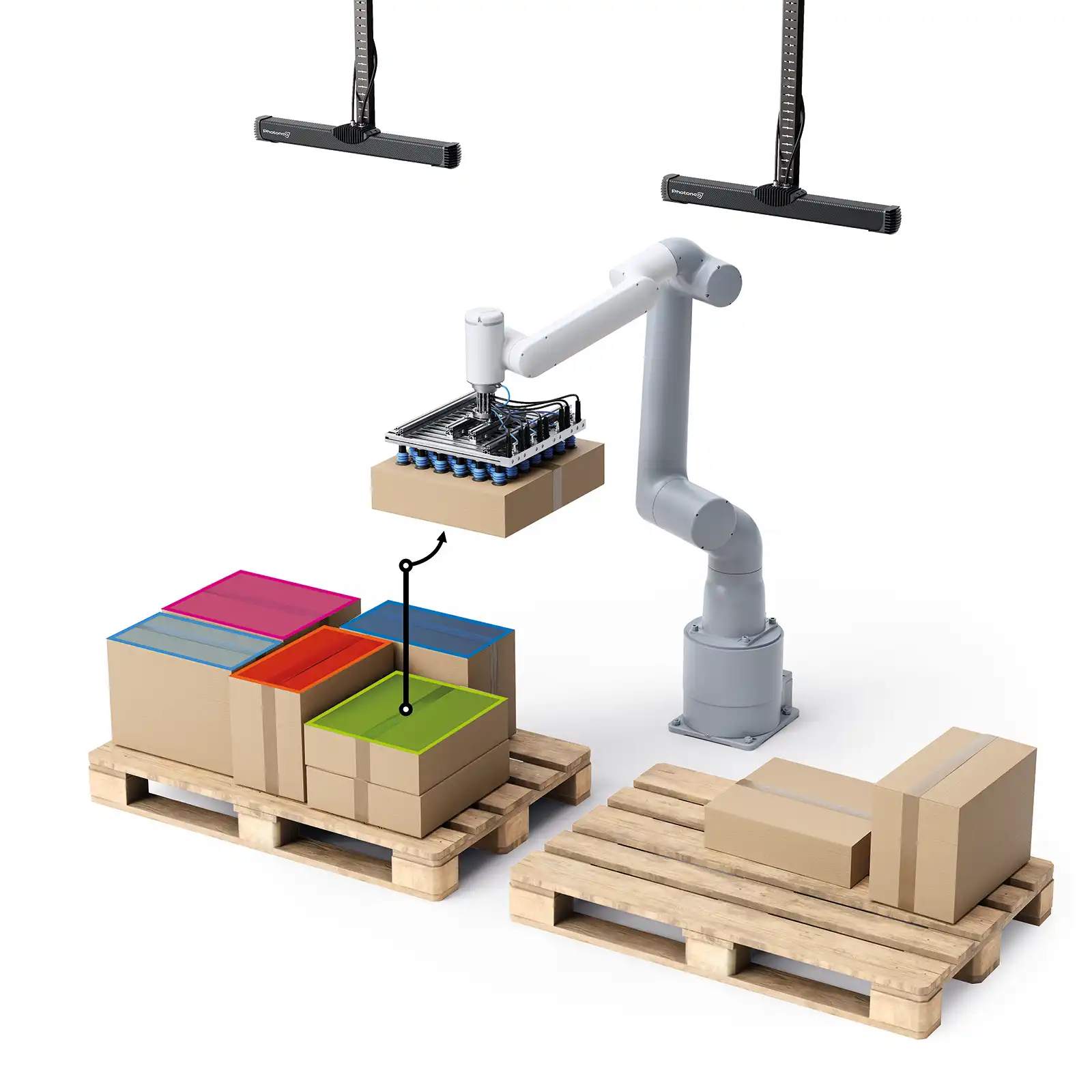
Depalletize randomly stacked palettes.

AnyPick module for boxes

AI designed to recognise a huge variety of non-uniform items from over 500 000 types of cardboard boxes and mixed packages.

  • Understand every item: The software locates each item and determines if it's covered, ensuring the robot only targets packages that are free and clear to pick.

  • Pre-trained out of the box: The system comes ready to work out of the box, already trained on thousands of images of common packages.


Totes, even deformed.
Determine exact position and orientation for picking.

AnyPick module for totes

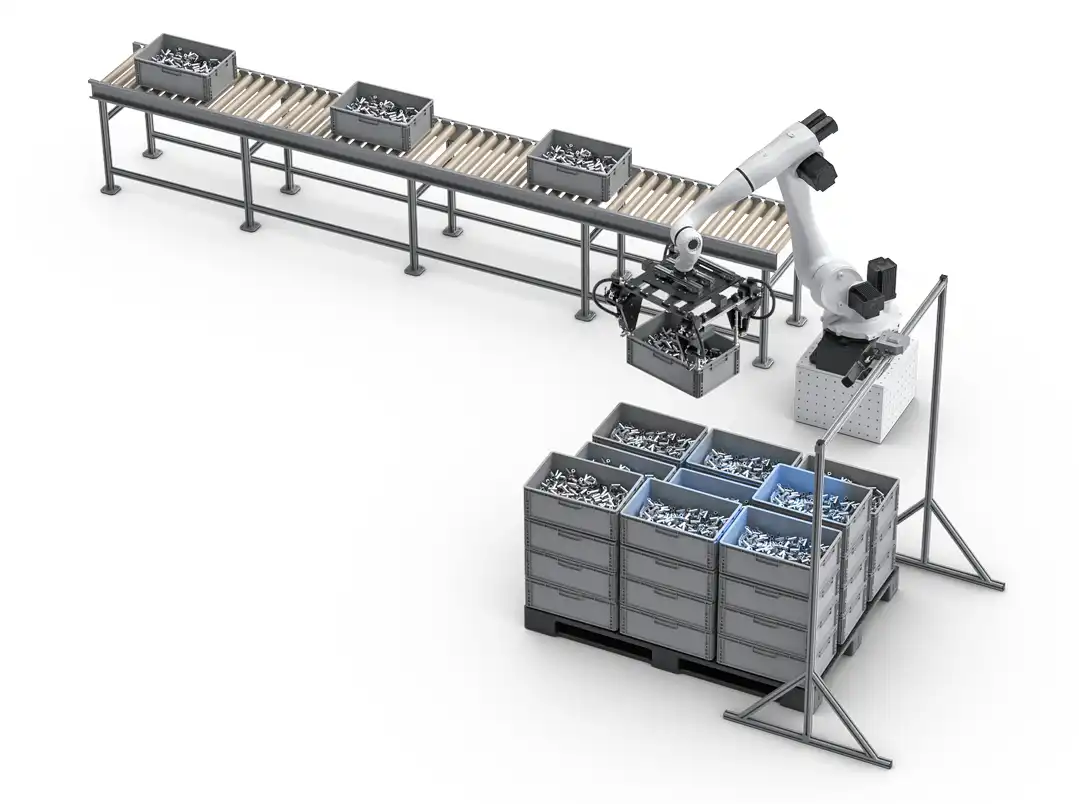
Advanced hybrid technology that combines AI object detection with analytical methods for high-precision handling of standardized containers.

  • Hybrid precision: Uses AI to quickly identify the tote type, then applies an analytical method to determine its exact position and orientation for a perfect pick.

  • Pre-trained out of the box: The system comes ready to work out of the box, already trained on thousands of images of totes / KLTs.

Tote_picking
Locator_Config-02_ABB GoFa (CRB 1500)

Whole layers of goods at once.
Delayer at high-speed.

LayerPick module

Designed for high-speed environments, this module detects entire top layers of uniform items like boxes, bottles, or cans for rapid bulk delayering.

  • Smart central grip: Instantly finds the exact center pose of the top layer, ensuring the grasp respects the specific tolerances and capabilities of your gripper for secure movement.


Coming early 2027 
Aurora VGR Studio will become our single, powerful solution, succeeding Bin Picking Studio and Locator Studio.

Aurora VGR Studio is fully backward compatible. Any robotic cell you configure today in Bin Picking Studio or Locator Studio can be easily exported and imported directly into Aurora VGR Studio, ensuring a seamless transition for all your projects.

Something Powerful
Tell The Reader More

The headline and subheader tells us what you're offering, and the form header closes the deal. Over here you can explain why your offer is so great it's worth filling out a form for.

Versatile Scanning Capabilities

Capture 3D data across an incredibly versatile range of volumes, ensuring reliable localization whether parts are stationary or moving fast.

123

From small to massive objects

Easily capture data for anything from tiny, letter-sized individual parts up to objects the size of two Euro-pallets.

39

Static or dynamic capture

Get high-quality scans whether the target object is sitting still in a bin or moving rapidly down a conveyor belt.

83

RGB-enhanced for smarter AI

Use color-enriched 3D depth data to simplify advanced AI tasks like part categorization.

 Flexible Localization Algorithms

Use AI, CAD models, scan-based references, or hybrid method to determine the exact position and orientation required for reliable picking.

36

Pick Any Box or Parcel

Handle mixed logistics items. Pre-trained AI identifies varied, non-uniform, or partially hidden packages and tells the robot exactly how to grab them. 

111

Fastest Pick for Manufactured Parts

Speed up assembly lines using existing CAD models for ultra-fast recognition of rigid parts. "Smart Memory" boosts throughput by reusing data.
43

No CAD? No Problem

Just scan a physical sample part to create an instant reference model. When you are handling items and don't have original CAD model.
18-1

Pick Totes with Pinpoint Accuracy

Achieve ultimate reliability when handling industrial totes. We combine smart AI search with analytical precision to ensure the robot knows the exact position and orientation for a flawless pick every time.
57

Move Whole Layers at Once

The fastest way to handle bulk. Instantly locate and grab entire layers of products  like bottles, cans, or boxes in a single, safe motion.
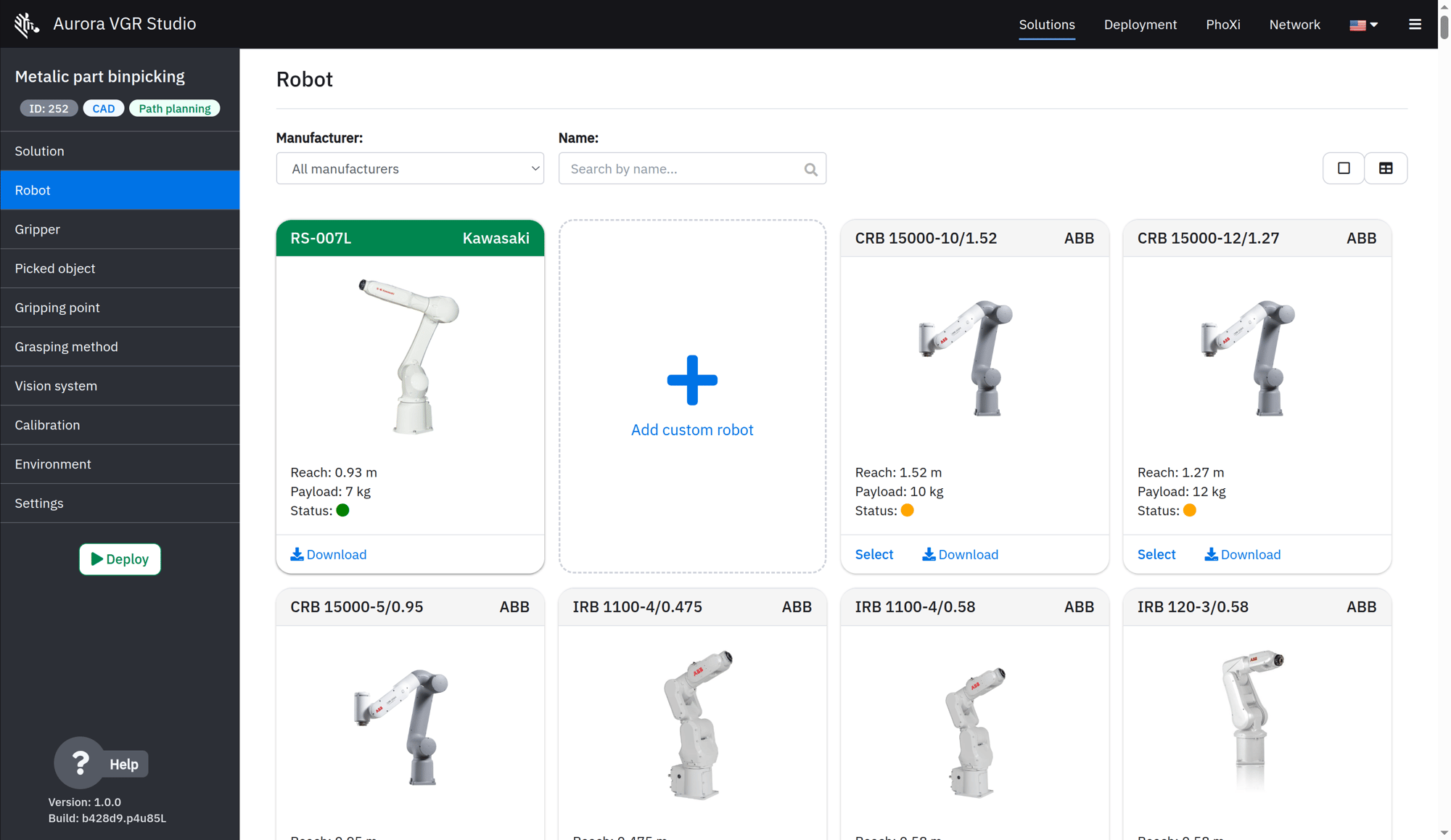
Work with Any Robot

Don't worry about compatibility. We offer native support for over 275+ robot models across 11+ leading brands.

6-Oct-05-2026-11-16-11-7949-AM

Plug-and-Play Collision-Free Picking:

For standard 6-axis robot arms, we provide ready-to-use templates and guides. Get a fully calculated, collision-free path for picking parts out of bins, sent directly to the robot via TCP/IP.

46

Maximum Flexibility for Custom Tasks

Need to do more than just pick? Use our simple communication interface to receive precise 6D pose results on any robot or controller, powering your own custom vision-guided tasks like assembly or trajectory correction.

Yaskawa_logo-01 1
universal-robots-logo1 1
omron-logo 1
Kawasaki robotics 1
abb-1-01 1
Vector
comau-logo-vector
FANUC-Logo.wine-2
staubli-1
denso-2
RobCo Logo_black
Estun_Logo_black
Mitsubishi Electric logo

All Kinds of Grippers

From suction cups to multi-finger jaws, you can use any end-effector you need.

98

Bring Your Own Gripper

Easily import your custom gripper's CAD file (STL) into the 3D visualizer and define its exact tool center point in seconds.
99

Visual Grasp Configuration

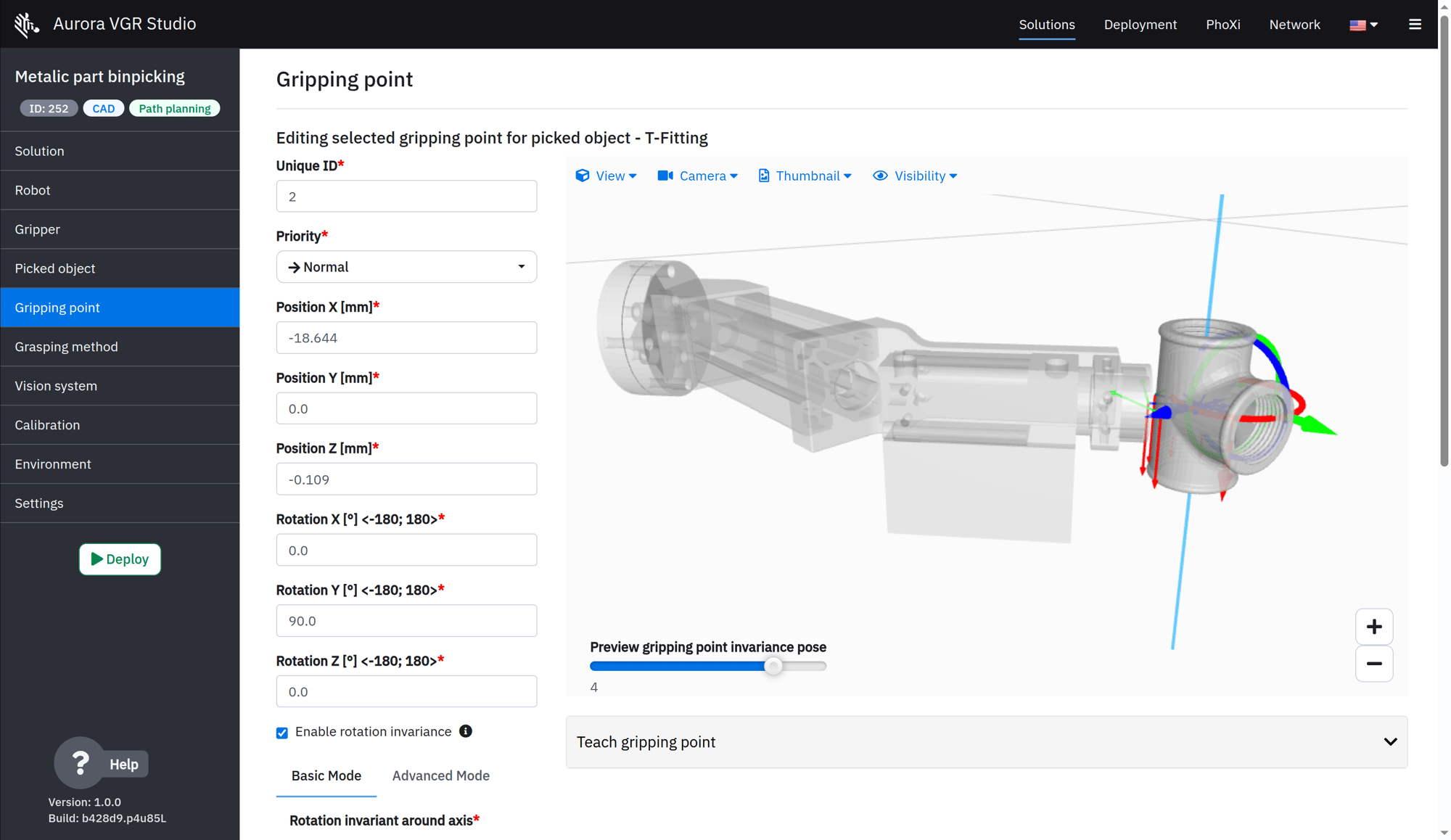
Define exactly how and where the gripper should grab the part. Handle symmetrical objects easily and inspect every step of the grasp in full 3D before running it.

78

Smart Multi-State Gripping

Manage tools like double-finger grippers that can grasp from the inside or outside the system automatically adjusts collision models and picking preferences based on the optimal configuration for the job.
Work in Complex Environments

Handle tricky bins and crowded cells with confidence using our advanced, preferential path planning.

125

Smart Pick Prioritization

The system doesn't just grab randomly. Based on your preferences it intelligently ranks items to decide which one to pick first, prioritizing the easiest, safest, and most reachable parts.
97

Adaptive Picking Trajectories

Define the exact path the robot arm should take to enter the bin, securely grasp the object, and retrieve it, automatically adjusting based on the current clutter in the bin.

48

Understand the Environment

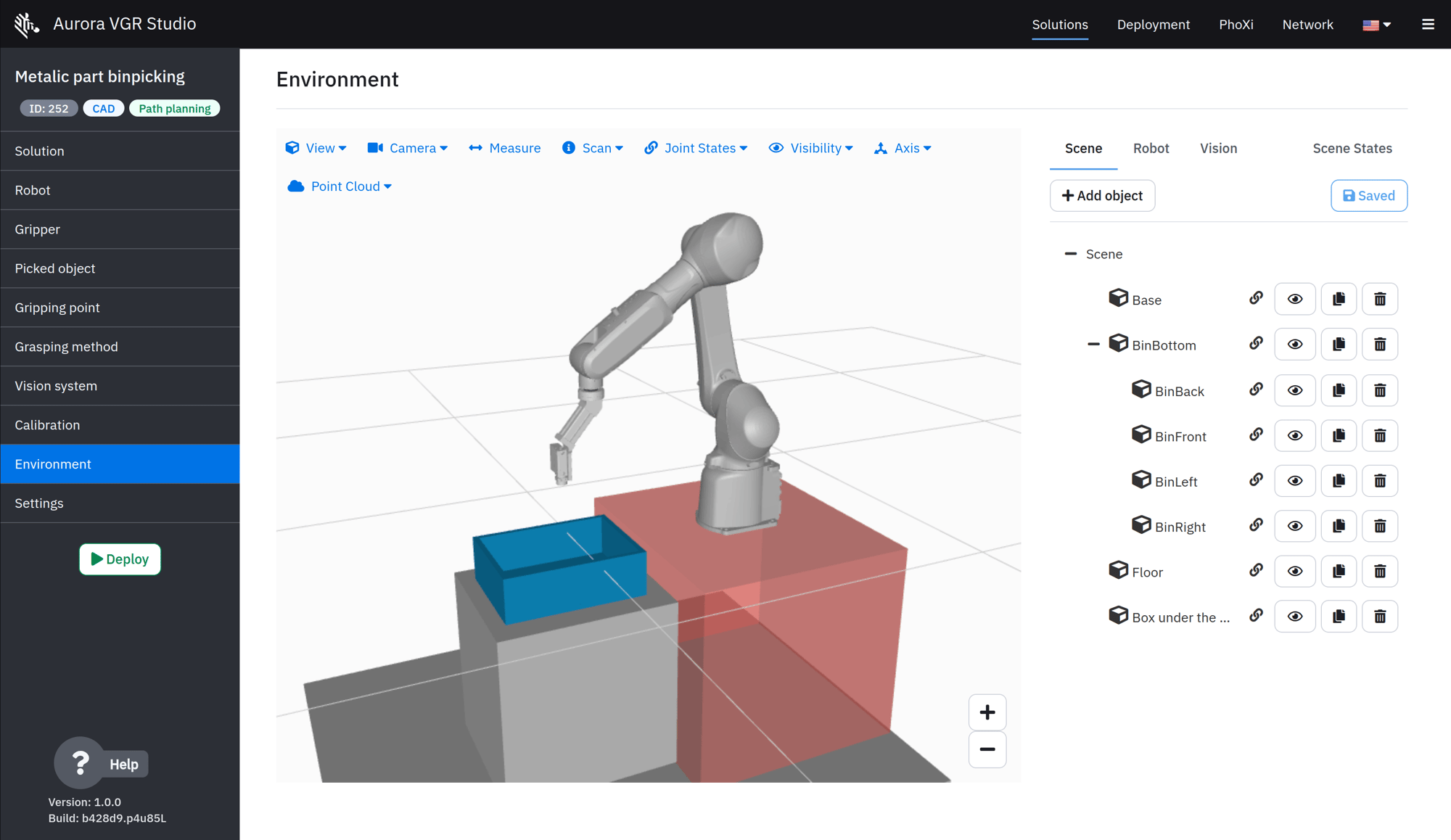
Import or create a full 3D model of your workspace around the robot. Add virtual safety walls and set collision sensitivity to keep everything safe.
95

Collision-Free Robot Motion

Automatically compute the complete motion plan. The system ensures the robot arm never bumps into anything, respects its reach and joint limits, and keeps the gripper at the perfect angle.

Ready to Scale, Share, and Deploy

Easily manage and replicate complete robotic cell configurations across your entire operation.

50

Visual, Step-by-Step Setup

Create new solutions like a pro with a simple wizard. Each solution is a complete package of settings for 3D scanning, localization, grasping, path planning, and collision avoidance.

17

Risk-Free Experimentation

Duplicate an existing solution to test out new configurations or ideas quickly, without any risk of breaking your live production setup.

105

One-Click Export & Import

Instantly replicate a working application across multiple systems, share successful configurations with colleagues, or create full backups with a single click..

3-Oct-05-2026-11-31-46-4851-AM

Verify Before You Deploy

Simulate the entire picking process in full 3D. Watch every move of the robot arm to ensure safe, collision-free operation before you ever run it in the real world.
9-2

Push to Production

Once you've verified your solution in the simulator, deploy it directly to your live production robot with confidence.

22

Automatic Safety Net

The system automatically backs up your last three deployed solutions, allowing you to quickly roll back to a previous working state if needed.

Easy to Set Up, Pleasant to Use

A modern system designed to be intuitive and accessible from day one.

103

Access from Anywhere

Configure your application directly in any modern web browser, whether you’re at the machine or accessing it remotely from your desk.

2-Oct-05-2026-11-37-39-2928-AM

Secure Control & Visibility

Easily manage who can do what with role-based permissions (for admins, integrators, or operators) and keep a complete historical log of all activities.

104

Make It Your Own

Customize the interface to match your brand. Upload your company logo, set your colors, and ensure operators always have the right support contact details on screen.

106

Hassle-Free Connectivity

The Vision Controller provides dedicated, separate network ports for up to four 3D cameras, your robot, and the local network for a clean, stable setup.
Screenshot from 2026-09-25 15-14-57
Screenshot from 2026-09-25 15-15-48
Screenshot from 2026-09-25 15-16-45

Contact us